The fastest way to leak a secret is to upload it for free.
You needed to merge two PDFs before a meeting, so you uploaded a confidential contract to the first free converter you found. It worked in three seconds. You never asked where that file went, who else could see it, or whether “deleted after 24 hours” is a promise anyone keeps.
You know Python. You can write a function, parse a dictionary, slice a list. You open a blank file to build your own offline alternative — and you freeze.
Make the interface look like a real app, not a script. Stamp a watermark at the exact angle without it sliding off the page. Guarantee a file never touches disk. Pull readable text out of a scanned fax that is just a wall of pixels to your code.
You realize what no tutorial prepared you for: knowing syntax is not the same as knowing how to ship software people can trust with real, confidential documents.
This book is the bridge.
What You Will Build
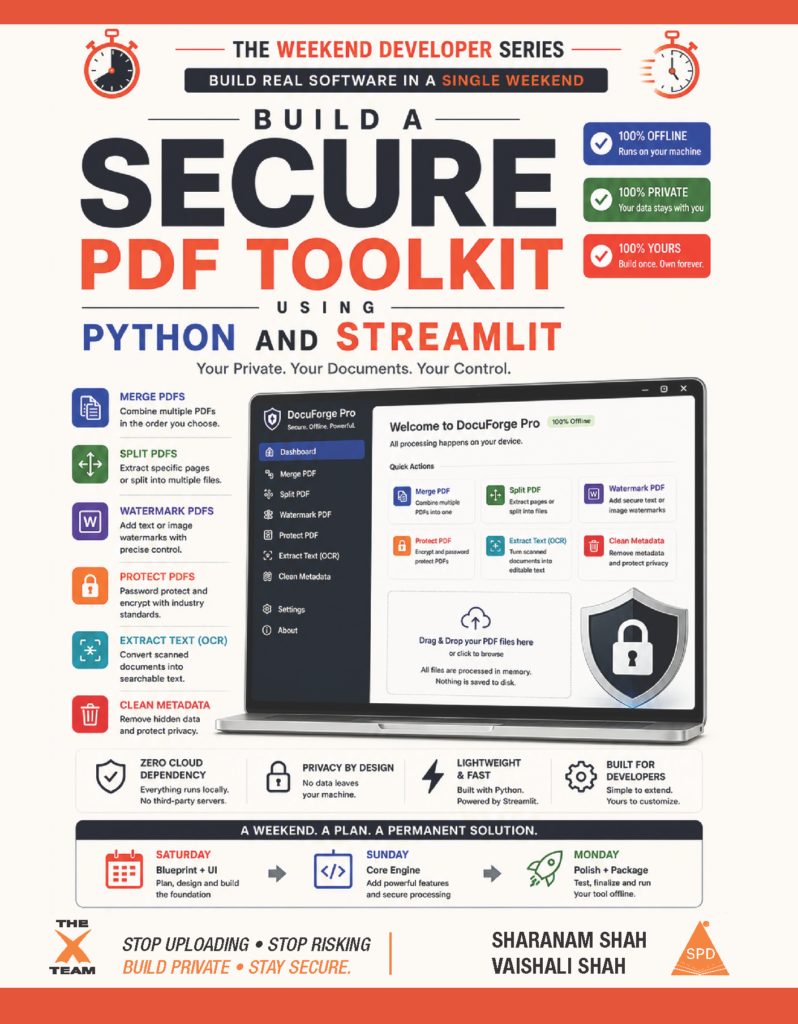
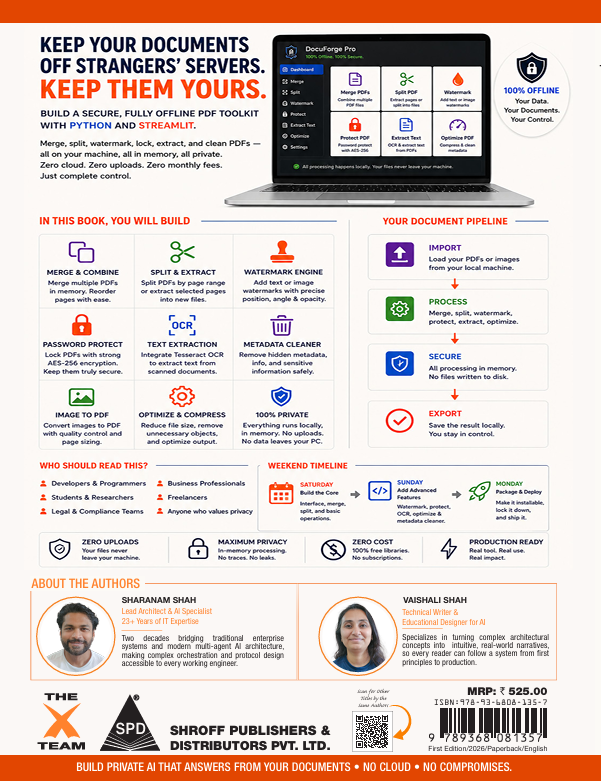
This is no toy script. You will build DocuForge Pro — a secure, fully offline desktop application that merges, splits, watermarks, password-protects, compresses, and OCR-scans PDFs, with zero files ever touching the cloud.
See it live before you write a line: docuforge-pro.streamlit.app
Using only Python. Running on your own machine. For zero cost.
Part of The Weekend Developer Series
This is the second title in The Weekend Developer Series — execution-first companions for impossibly busy people. Our promise: start Saturday morning, and you will have a fully functional, installable PDF toolkit running on your own machine before Monday.
Across 9 Chapters and 4 Sections, You Will
- Section I — The Blueprint: Configure an isolated Python environment, install local OCR binaries, and build the branded Streamlit interface
- Section II — The Engine: Merge, split, and extract pages with in-memory pipelines, then stamp precisely positioned watermarks using Cartesian coordinate geometry
- Section III — The Vault: Scrub hidden metadata, apply real AES-256 password protection, and bridge a local Tesseract OCR engine to read scanned documents
- Section IV — The Launch: Package your app for desktop use and deploy live to Streamlit Community Cloud, at zero cost
What Makes This Book Different
Most technical books fail in one of two ways: dense theory, or copy-paste snippets that break the moment something changes. This book is neither. Every chapter follows one protocol: real-world scenario → architecture map → exact commands → complete code → test plan → milestone checklist.
The Technical Skills You Will Own
- Document object modeling — PDFs as objects, not flowing text
- In-memory processing with io.BytesIO, so nothing touches your disk
- Cartesian coordinate geometry for pixel-perfect watermark placement
- Metadata forensics — finding and destroying hidden author and revision data
- Real AES-256 password protection, applied correctly
- Local OCR pipelines that recover text from scanned documents
- Deployment confidence — local script to installable app to public URL
Who This Book Is For
- Legal assistants, HR coordinators, and financial analysts who handle documents by hand every day
- Self-taught developers who want a portfolio asset proving real desktop capability
- Anyone tired of uploading contracts or medical records to “free” online converters
- Engineering students who want Python scripting to become software others can use
You do not need ML experience or a CS degree. Just basic Python logic and the ability to open a terminal. We handle everything else.
Your Toolkit — 100% Free
Python 3.14.5+ • Streamlit • pypdf • ReportLab • Tesseract OCR • VS Code • Streamlit Community Cloud
Try it out live!
Want to see what you’re building before you commit to a single page? DocuForge Pro is live right now at docuforge-pro.streamlit.app. Drop in a PDF and merge it, stamp a watermark on it, lock it behind a real password, or pull text out of a scanned document — every feature in this book is already running, entirely offline, exactly as you’ll build it yourself, chapter by chapter, over a single weekend.